Smart invoicing that gets
you paid faster
Create a compliant invoice in minutes. Let customers pay by card in one click. See exactly who has paid and who hasn't, without opening a spreadsheet.

From quote to cash. One flow.
Most invoicing tools stop at the PDF. Osome takes every invoice from first quote to final payment, and into your books.


Turn any draft invoice into a formal quotation PDF. When your customer says yes, issue the invoice from the same draft. No retyping.
Less admin per invoice. Fewer errors per month.
The small details that make billing fast, accurate and easy to defend.

Save customers once
Keep billing details in your customer directory and pick them in a click next time. No more copy-pasting addresses.

Send it from Osome
Email an invoice to several people at once, or share a PDF or web link that opens on any device.

Correct it the right way
Sent the wrong amount? Issue a credit note to cancel or adjust the invoice and keep your audit trail clean.
Invoice straight
from your AI chat
Connect Claude, ChatGPT or Gemini to Osome and run your billing in plain English. Draft and send invoices, issue credit notes, or ask who still owes you.

Invoice from
anywhere
Create, send and track invoices from the Osome app on iOS and Android. Pick a saved customer, share a PDF or link, and check what's been paid before you've left the meeting.

Part of a greater whole
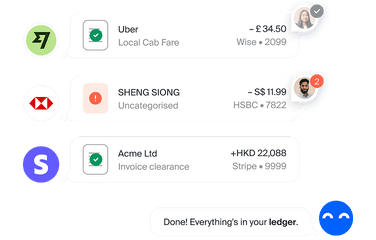
Books & reconciliation
Every payment lands in your books, matched and checked by your accountant.
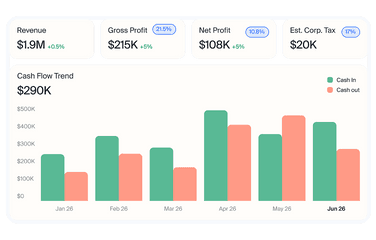
Insights & reports
Watch revenue, cash in vs cash out and your runway move as invoices get paid.
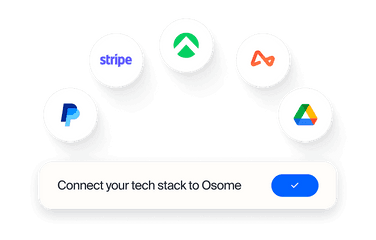
Integrations
Stripe, PayPal and your business bank feed straight into Osome. No exports.


See what our product team has been shipping

Built fast to help you build faster
We ship new features all the time, from smarter categorisation to self-serve filings. See what just launched.
Built by founders,
loved by founders globally
92 %of customers recommend us
“Osome just made everything easier.”


“Osome and their team makes accounting and getting the correct documents in order for company and bookkeeping easy and reliable.”
Peter Riverwind
FAQ
Do I need Stripe to send invoices in the Osome business management platform?
No. Stripe is only needed if you want card payments. You can show your bank details on invoices for transfers instead, or as well.
How does Pay with Stripe work?
Connect your free Stripe account under Payment Methods. Your customer clicks Pay with Stripe, pays by card on a secure page, and the invoice is marked Paid. You get an email the moment the payment is confirmed. Osome never stores card details.
Can I send invoices directly from Osome?
Yes. Email them to one or more recipients, or share a PDF or a web link.
Can I create quotations?
Yes. Turn any draft invoice into a quotation PDF to share. Once it's approved, issue the invoice from the same draft so the numbers always match.
How do I fix an invoice I've already sent?
Issue a credit note to cancel or adjust it. The original and the correction both stay on record, so your books stay clean.
Can I invoice in other currencies?
Yes. Invoices default to your local currency and you can switch to another when you create one.
Can I set up recurring invoices?
Not yet. Save regular customers in your directory and you can raise their next invoice in a few clicks.
Can I invoice on my phone?
Yes. Create, send, share and track invoices in the Osome app on iOS and Android.

We’re using cookies! What does it mean?