Company management
from launch to every filing after
Incorporate, update your details, manage your shares and stay ahead of your annual filings from one dashboard. You fill in a guided form. Our company secretaries handle the paperwork and the filing.

Company changes done properly.
Minus the fuss.
Tell us what's changing in one guided form. We make sure it meets government requirements, then file it for you.


Update your company name, registered address or business activity from your Company page. The form checks your answers as you type.
Annual filings,
without the scramble
Whatever your registry asks for each year, it's guided, self-serve and tracked to the day.

Know what's needed, and when
Every annual filing opens with a plain-English explainer, your deadline and the only two steps that matter: you review, we file.

Review everything on one screen
Directors, shareholders, mortgage status and business activity codes, all in one place. Spot something out of date? Tap Change and fix it right there.

Sign off in one tap
When everything looks right, tap Everything is correct. We file it before the deadline and send you the confirmation.
Your company records,
one question away
Connect Claude, ChatGPT or Gemini to Osome to look up your company details, directors, shareholders and subsidiaries in plain English. Handy for bank forms, due diligence and investor questions.

Your mailbox,
in your pocket
Every letter to your registered office is scanned into your Osome Mailbox. Get notified, read the scan, then request a pickup, courier delivery or secure shredding.

Part of a greater whole
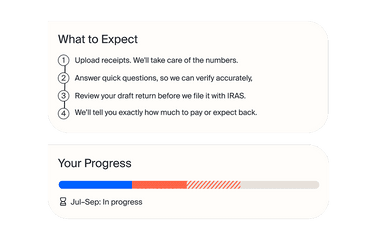
Workflows & support
Every filing on one timeline, with clear labels for what's on you.
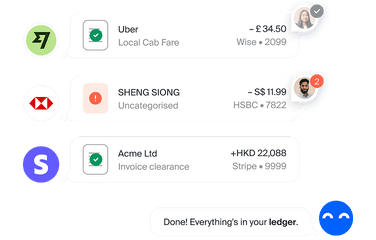
Books & reconciliation
Your year-end accounts start with books that are already reconciled.
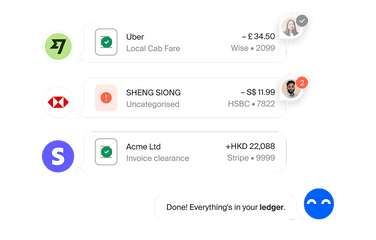
Integrations
Connect your business bank once and your transactions flow in on their own.


See what our product team has been shipping

Built fast to help you build faster
We ship new features all the time, from smarter categorisation to self-serve filings. See what just launched.
Built by founders,
loved by founders globally
92 %of customers recommend us
“Osome just made everything easier.”


“Osome and their team makes accounting and getting the correct documents in order for company and bookkeeping easy and reliable.”
Peter Riverwind
FAQ
What can I change myself in the Osome business management platform?
Depending on where your company is registered, you can request changes to your company name, registered address and business activity, and start a share transfer. Submit the form and our company secretary team takes it from there. Some changes carry a government filing fee.
How does a share transfer work?
Go to Company › Shares › Transfer Shares. Choose the seller and buyer, enter the number of shares and price, and upload your sale and purchase agreement. We prepare the board resolutions, collect digital signatures and file with your company registry. If stamp duty applies, we'll remind you.
Can I get more time on an annual filing?
Where your registry allows extensions, you can apply straight from the deadline page in the app.
How do I check my company details before an annual filing?
Open the filing deadline from your homepage. Review your company details on one screen and tap Change on anything out of date, like passport details or a residential address. Most reviews take one to three minutes.
How does the Osome Mailbox handle sensitive mail?
Mark mail as Sensitive and only the named recipient can see it. Standard mail is visible to authorised company members.
What happens to my mail after it's scanned?
Request a pickup, a courier delivery with an instant quote, or secure shredding. Every item's status is tracked from scan to delivery.
Can I incorporate online?
Yes. Incorporation is 100% paperless: verify your identity and sign every document digitally.
I'm switching from another provider. Is it painful?
No. Complete a short checklist in the app. Where we can, we pull your company details straight from the official registry and let you verify with your government digital ID. Then we invite your directors and shareholders for you.
Do you handle UK company filings?
Yes. For UK companies, we prepare and file your annual accounts, corporation tax return (CT600) and confirmation statement.
Is every feature available in my country?
Osome works the same way in every market we support, but some flows follow local rules. For example, private UK companies don't usually hold an AGM, so you won't see one on your timeline. Your dashboard only shows the filings and services that apply to your company.

We’re using cookies! What does it mean?