Real-time business reporting
and insights in one dashboard
Revenue, profit, spending and runway on one screen, updated as your documents come in. Plain English. No finance degree required.

Your numbers, minus the jargon
Finance Overview turns your transactions into the three answers every founder actually needs.


Revenue, gross profit, net profit and estimated corporate tax in one row. Hover over any number for a plain-English explanation.
Reports you can actually use
Quick answers for you. Formal statements for everyone else.

Set a target, watch the gap
Set a revenue target and a red line appears on your trend chart, so you always know how far you are from it.

Don't wait for month-end
Open your P&L and balance sheet while a period is still in progress. A clear note tells you the figures may still change.

Swap bank codes for plain English
Rename cryptic transaction descriptions so they make sense, then export your spending to CSV in one click.
Ask your numbers anything
Connect Claude, ChatGPT or Gemini to Osome and pull your P&L, balance sheet, cash flow or revenue in seconds, in plain English. No exports. No spreadsheets.

Your numbers, wherever you are
Check revenue, profit and cash flow from the Osome app between meetings. The same numbers as your desktop, in your pocket.

Part of a greater whole
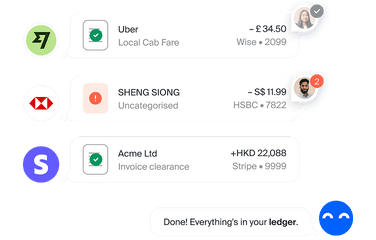
Books & reconciliation
Reports are only as good as the books behind them. Ours are checked by real accountants.
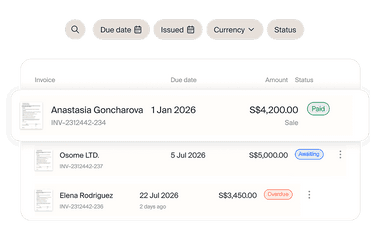
Cash & payments
Paid invoices flow into your revenue figures automatically.
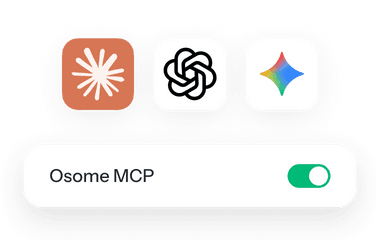
Integrations
Ask Claude, ChatGPT or Gemini about your cash with the Osome MCP server.


See what our product team has been shipping

Built fast to help you build faster
We ship new features all the time, from smarter categorisation to self-serve filings. See what just launched.
Built by founders,
loved by founders globally
92 %of customers recommend us
“Osome just made everything easier.”


“Osome and their team makes accounting and getting the correct documents in order for company and bookkeeping easy and reliable.”
Peter Riverwind
FAQ
Is the financial dashboard live?
Close to it. Figures update as your documents and transactions are processed, and the dashboard refreshes each time you open it if the data is more than six hours old. You can also refresh it manually.
Are the dashboard numbers final?
Not yet. Dashboard figures are generated by AI from your uploads and are provisional until your accountant reviews them. Formal reports show clearly whether a period is still in progress or closed.
What reports are in the Osome business management platform?
Your Reports tab holds your formal statements, including profit and loss and balance sheet. View them by month, quarter or year.
What's in the Spending tab?
Your outgoing payments sorted into 17 owner-friendly categories, with vendor drill-downs, multi-currency tracking, editable descriptions and CSV export. It arrives pre-filled with 12 months of history.
Who can set revenue targets?
Anyone with the Company Admin role.
Can I ask an AI about my numbers?
Yes. Connect Claude, ChatGPT or Gemini to the Osome MCP server and ask things like "What was our revenue this quarter?" in plain English.
Can I use the dashboard for tax filing?
The dashboard is for your day-to-day decisions. For official filings, your accountant works from your verified books.

We’re using cookies! What does it mean?