Never miss a deadline.
Never wait for an answer.
Osome maps your filing year, reaches out before each deadline and shows what's on you and what's on us. Get answers and experts in a tap.

Your filing year, always in view
Every deadline, every status and every next step sits on your homepage. No more "is this done yet?" emails.


Every task we need from you sits in one list with its due date, and most you can finish right there: upload, review, confirm and sign, no email chain needed. Running late? It turns red and shows how many days overdue.
AI for speed. Humans for judgement.
The quick answer in seconds. The expert answer in a few taps.

Ask Osome, get answers
Our AI assistant answers common setup, invoicing and filing questions instantly, using Osome's verified help content.

One tap to a human
Need judgement, not a help article? Tap Connect me to an expert and a real person picks up the conversation.

Book an expert in seconds
Book a tax or accounting advisory call, check your balance and top up when you need more. Calendar invites go out automatically.
Answer your accountant
from your AI chat
Connect Claude, ChatGPT or Gemini to Osome to read and reply to your accountant's questions on any transaction, or send over a missing document, without opening the app. Every reply lands in the same thread your accountant sees.

Expert help,
in your pocket
Book, reschedule or cancel advisory calls from the Osome app on iOS and Android. Chat with your team and keep an eye on deadlines wherever you are.

Part of a greater whole
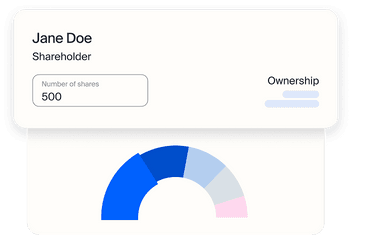
Company management
Annual filings, company changes and share transfers, run as guided self-serve flows.
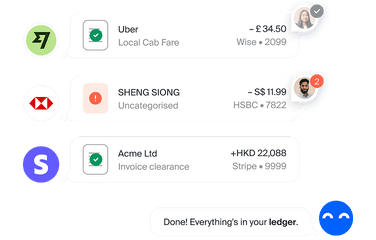
Books & reconciliation
Answer your accountant's questions right on the transaction.
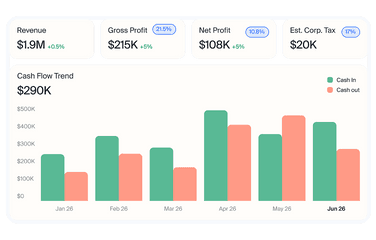
Insights & reports
Know your numbers before every deadline lands.


See what our product team has been shipping

Built fast to help you build faster
We ship new features all the time, from smarter categorisation to self-serve filings. See what just launched.
Built by founders,
loved by founders globally
92 %of customers recommend us
“Osome just made everything easier.”


“Osome and their team makes accounting and getting the correct documents in order for company and bookkeeping easy and reliable.”
Peter Riverwind
FAQ
What's the difference between Ask Osome and an expert?
Ask Osome is our AI assistant. It answers common questions instantly from verified help content, but it can't see your files or change your data. For anything specific to your account, tap Connect me to an expert.
Who are the experts?
Qualified professionals for your jurisdiction, including the accountants and company secretaries who handle your filings.
How do advisory calls work?
Choose Accounting or Tax. Accounting calls are with your dedicated company accountant. Tax calls go to the earliest available specialist on our tax team. You both get a calendar invite.
What if I've used all my advisory calls?
Top up and book another in the same flow.
Can I find things without opening a chat?
Yes. Smart Search on your homepage searches pages, deadlines, files and bookkeeping items, and suggests what needs your attention before you type a word.
What do the labels on my deadlines mean?
Your action needed means we need something from you. Osome on it means our team is working on it. Filed means it's done, and you can download the filed copy straight from your timeline.
Which deadlines does Osome track?
The ones that apply to your company, based on where it's registered. That includes sales tax returns like GST or VAT, annual accounts, corporate tax and your yearly company filings.
What if I miss a deadline?
It turns red and moves to the top of your homepage, with a count of how many days it's overdue, so you know exactly what to catch up on first.
Can I chat in Chinese?
Yes. The chat bot detects your language and can reply in Chinese.

We’re using cookies! What does it mean?